
Appearance
API task status callbacks
An API task sends a request to your external system. Your system can report progress, describe the current status, and return data that WeekOne needs to complete the task.
Watch the walkthrough
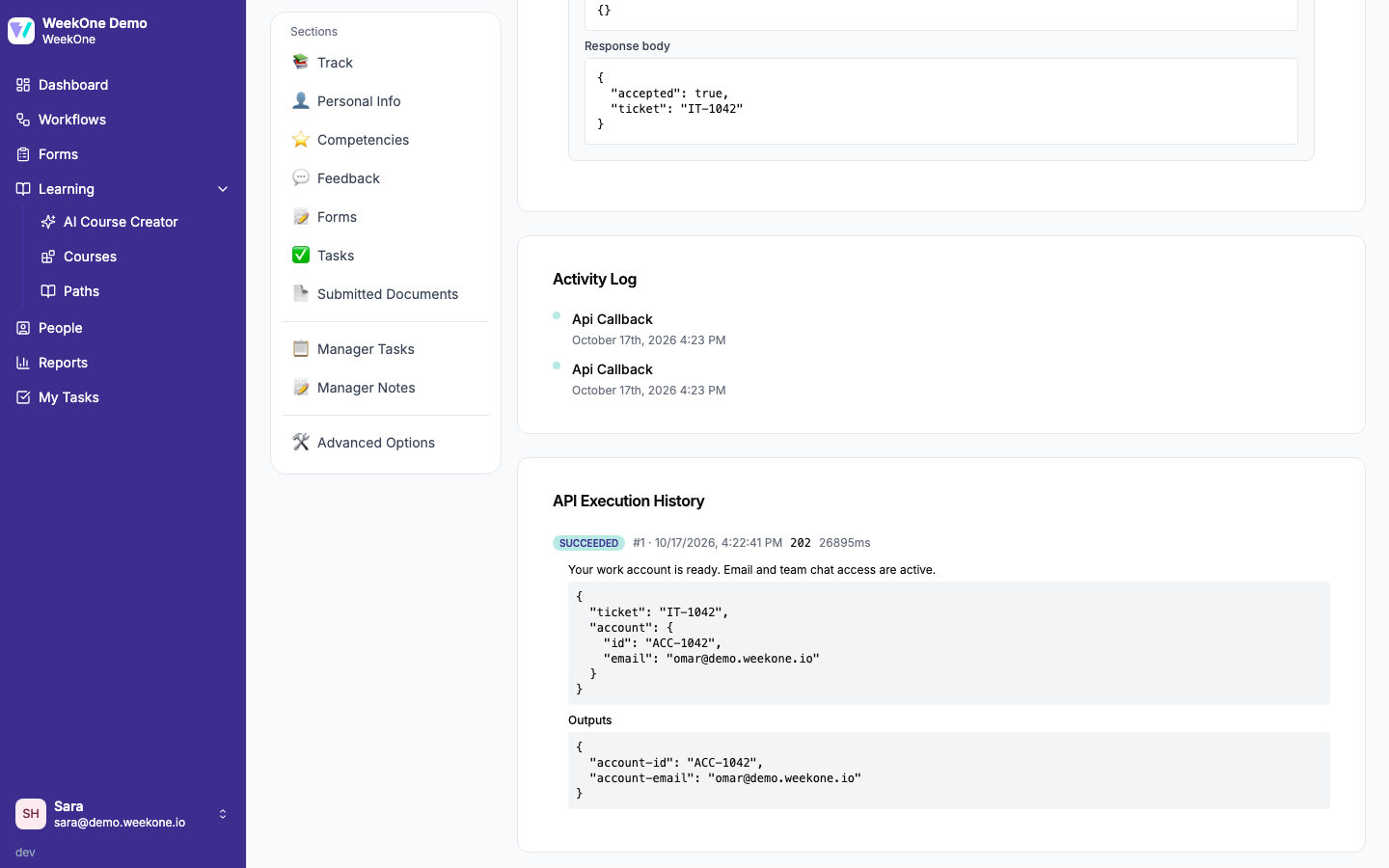
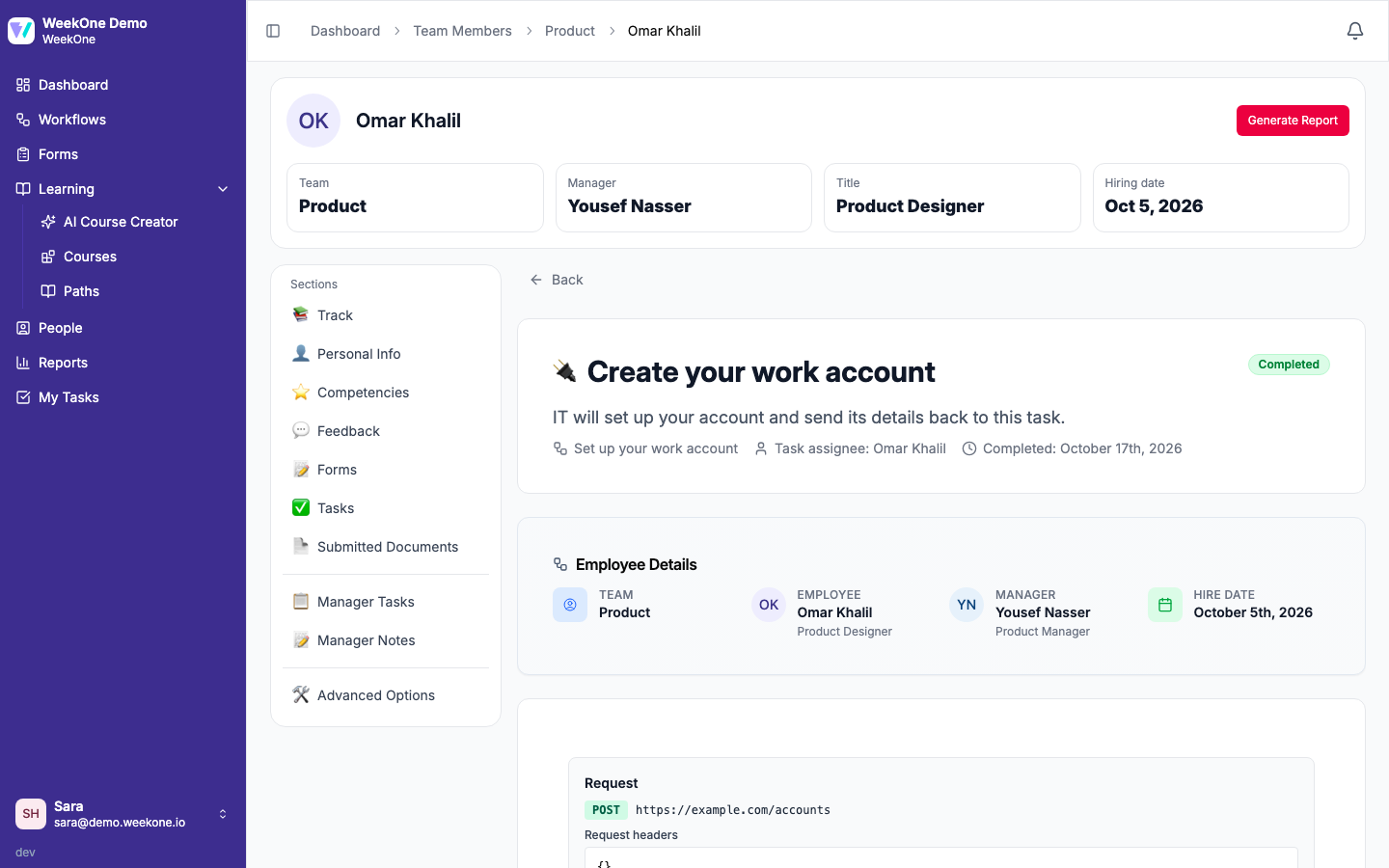
This 35-second demo shows optional waiting, callback references, an external progress description, and completion with an account ID and work email.
The recording uses isolated demo data. The initial external HTTP acceptance is simulated; progress and completion use the real authenticated callback endpoint and persist their data in WeekOne.
Configure the API task
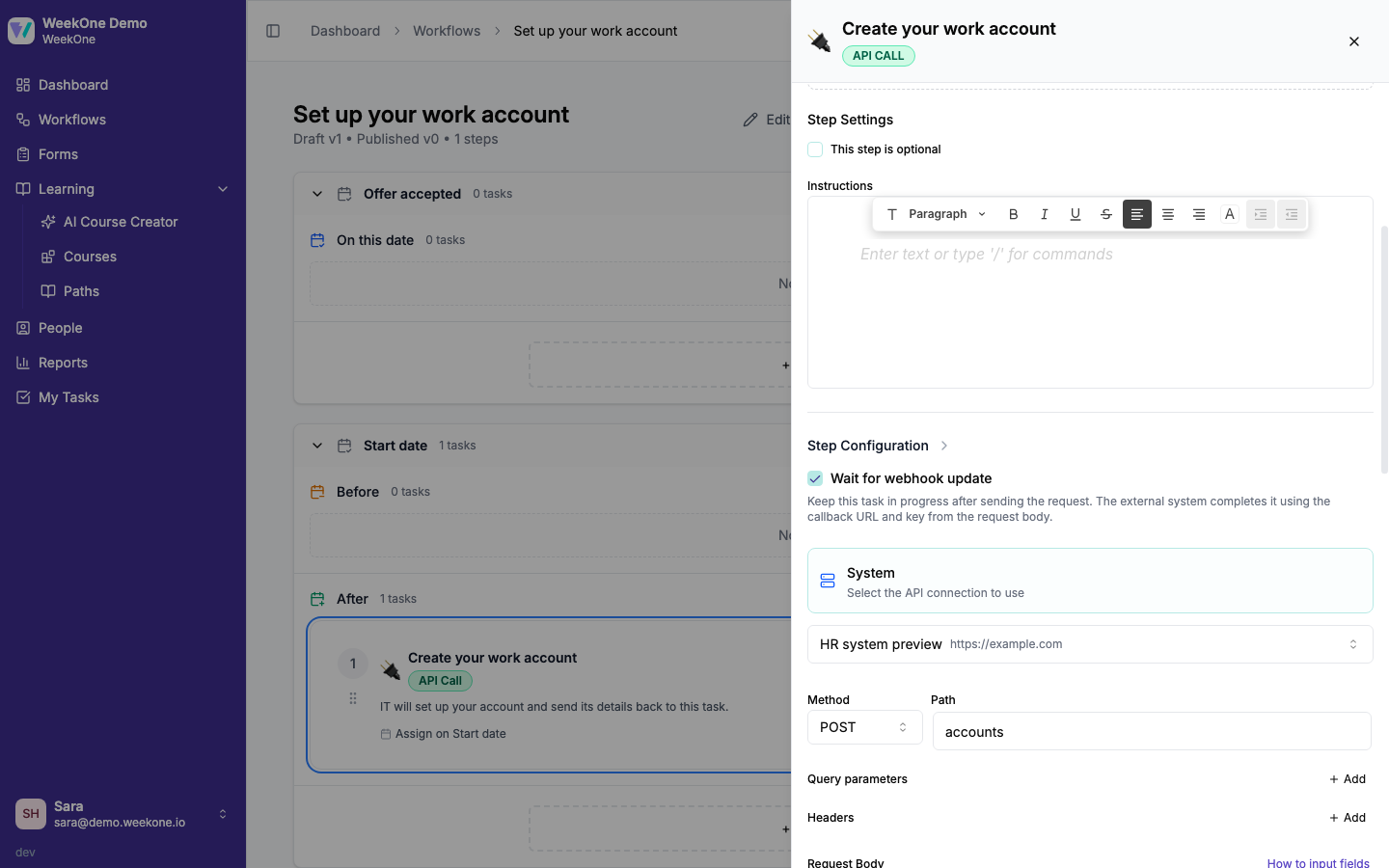
- In the workflow designer, open an API Call task and select its connection, method, and request path.
- Enable Wait for webhook update when the external work finishes asynchronously. It is off by default: without it, a successful HTTP response completes the task immediately.
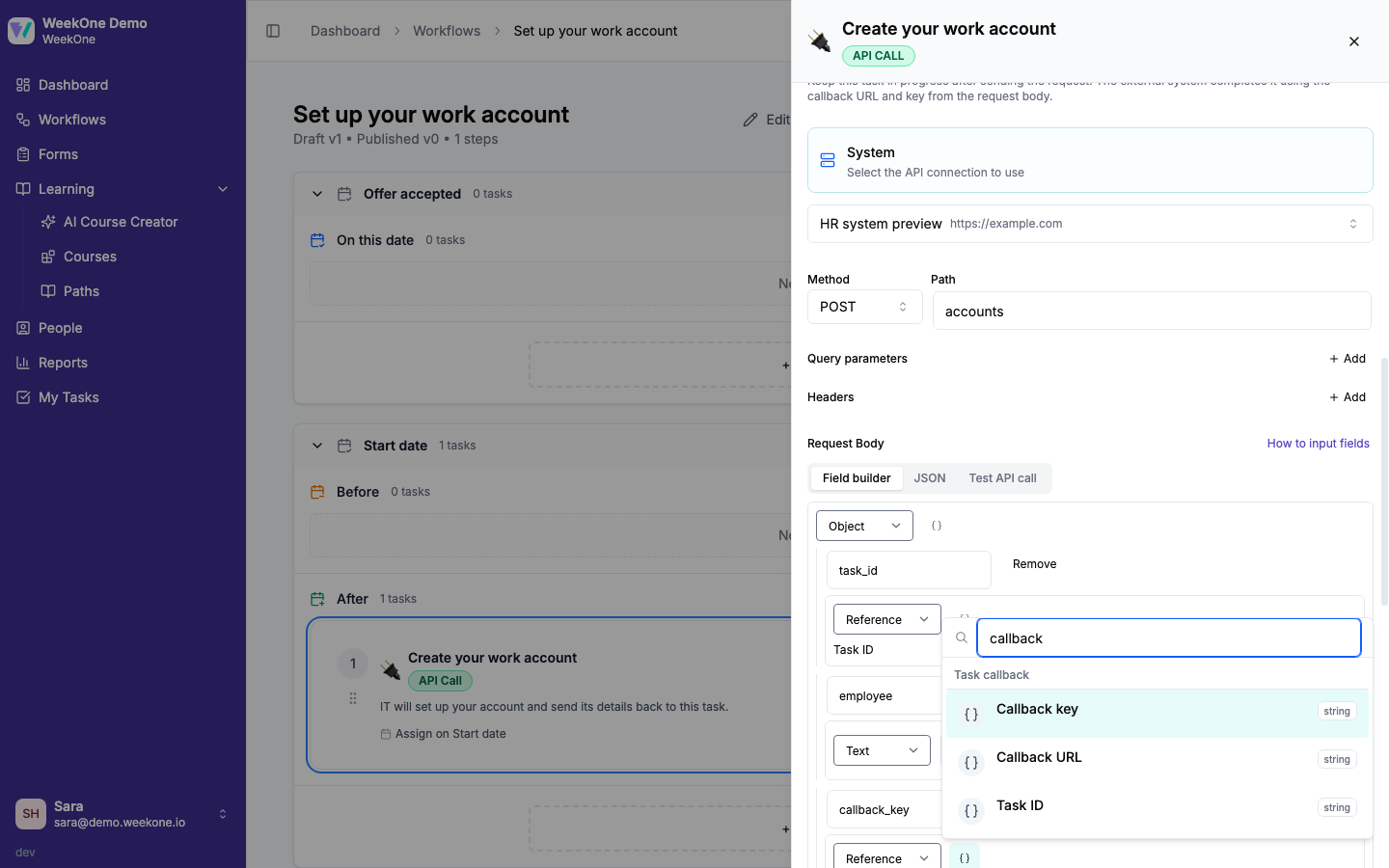
- In the request body editor, use Insert reference → Task callback to insert Callback URL, Callback key, and Task ID wherever the external system expects them. WeekOne does not add properties automatically.
- Define named outputs using paths into the callback's
dataobject, for exampleaccount.id. Required outputs must be present with the configured type before completion. Optional personal-information mappings use these final outputs.
Callback references work in request bodies only. Waiting requires a body-capable method and a Callback key reference in that body; the editor blocks saving until both are present. GET requests cannot wait for a callback because they have no body.
For JSON authoring, a body template can be:
json
{
  "callback_url": {"$weekone":{"kind":"reference","source":"callback","path":["url"],"missing":"error"}},
  "callback_key": {"$weekone":{"kind":"reference","source":"callback","path":["key"],"missing":"error"}},
  "task_id": {"$weekone":{"kind":"reference","source":"callback","path":["taskId"],"missing":"error"}}
}
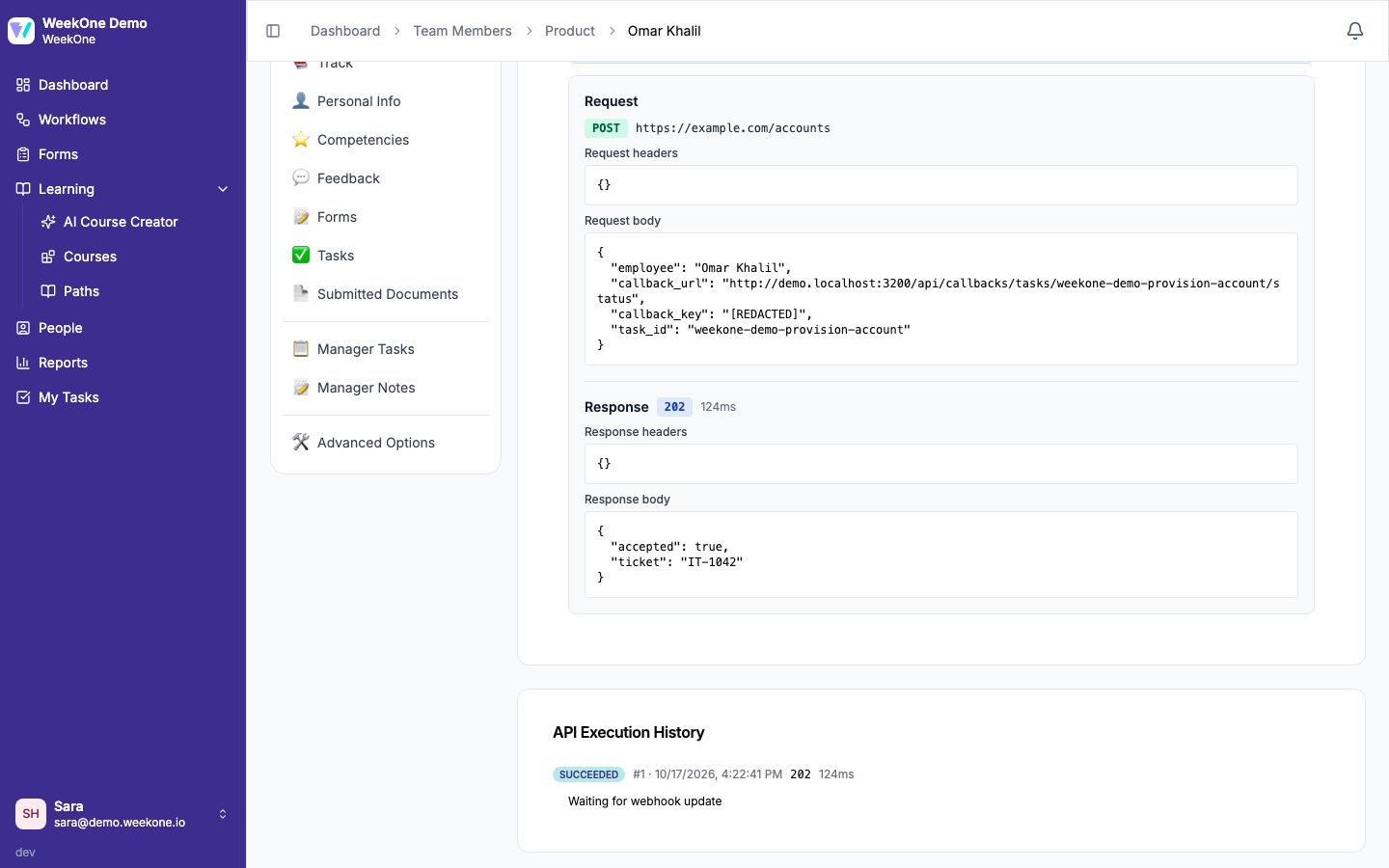
Your system receives resolved strings, rather than these template markers. Each new execution generates a fresh random key. The key is scoped to its task and execution, expires after 30 days, and is redacted from execution history. Keep it in secure server storage. Preview and test requests use sample values; they do not issue usable task callback keys.
With waiting enabled, any successful 2xx dispatch leaves the task IN_PROGRESS. Final output validation waits for the completion callback, so a 202 acceptance response does not need to contain final output values.
Update status
POST /api/callbacks/tasks/{taskId}/status
Use the callback URL received in the request body and authenticate with that execution's callback key. Organisation integration tokens do not authenticate this endpoint.
bash
curl -X POST 'https://YOUR-INSTANCE/api/callbacks/tasks/TASK_ID/status' \
  -H 'Authorization: Bearer CALLBACK_KEY' \
  -H 'Content-Type: application/json' \
-d '{"status":"IN_PROGRESS","description":"Account provisioning is underway","data":{"ticketId":"IT-123"}}'| Field | Type | Required | Behavior |
|---|---|---|---|
status | IN_PROGRESS or COMPLETED | Yes | Case-sensitive; no other statuses are accepted |
description | String, up to 2,000 characters | No | Human-readable status description; omission clears it |
data | JSON object, up to 32 levels deep | No | Full current external data; omission means an empty object |
The entire UTF-8 JSON body must fit within 64 KiB. Unknown top-level fields are rejected. Each accepted update replaces the previous description and data; updates do not merge objects. Send the complete data needed for that update. Data and descriptions must not contain the callback key or connection credentials.
Success is HTTP 200:
json
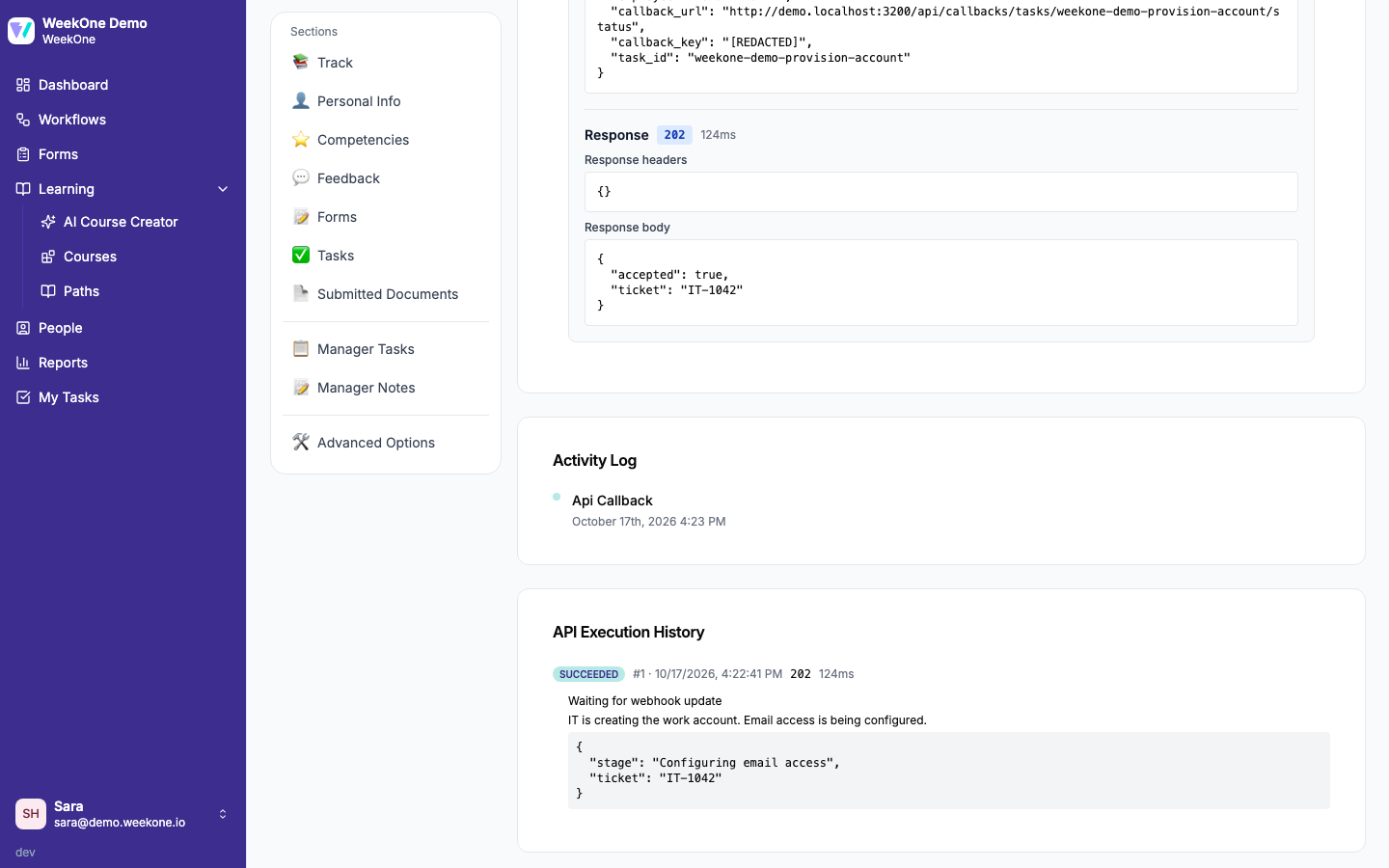
{"taskId":"TASK_ID","status":"IN_PROGRESS"}WeekOne stores the description and data in execution history and records an audit event. Progress updates do not require final output fields.
Complete with additional input
If the task defines a required output at account.id, send:
bash
curl -X POST 'https://YOUR-INSTANCE/api/callbacks/tasks/TASK_ID/status' \
  -H 'Authorization: Bearer CALLBACK_KEY' \
  -H 'Content-Type: application/json' \
  -d '{"status":"COMPLETED","description":"Account created and ready","data":{"ticketId":"IT-123","account":{"id":"external-42"}}}'
A successful completion returns {"taskId":"TASK_ID","status":"COMPLETED"}. WeekOne validates the configured outputs against data, applies allowed employee profile mappings, completes the task, and invokes normal workflow completion processing. Downstream API tasks can reference the named outputs.
Missing required data or a type mismatch returns HTTP 422 without completing the task. Correct the data and resend. Output paths are relative to data: use account.id, not data.account.id.
Retries, races, and errors
A callback may arrive before the outgoing HTTP request returns. WeekOne accepts it once the request is being sent and preserves the completion when dispatch finishes. An exact repeat of an accepted completion returns 200. Concurrent repeats share a processing claim; unfinished workflow processing is retried automatically by maintenance. Recovery after a process crash or expired claim can repeat processing, so downstream effects are designed to be idempotent. A changed completion payload or a later progress update returns 409.
A valid callback from the latest execution can still report progress or completion after the HTTP request timed out or failed. It clears only the block caused by that execution; manual blocks, skipped tasks, inactive assignments and independently completed tasks remain protected. A late progress update keeps the task waiting for completion. Accepted progress is also preserved if the HTTP request subsequently fails or times out.
An admin can select Cancel waiting in execution history, then New request to replace a waiting execution. Cancellation revokes the old callback key but does not stop work already running in the external system. An expired wait also offers New request. A new execution invalidates keys from older executions. Replaying a saved callback-bearing request or re-evaluating its HTTP acceptance response is disabled; enabling waiting in the current configuration also requires a new request with a fresh key.
Callback keys can also be inserted when waiting is off, but the task completes on HTTP success; later callbacks cannot reopen it. Enable waiting for asynchronous integrations.
| Status | error examples | Action |
|---|---|---|
| 400 | api_call.callback_invalid_payload | Correct JSON, fields, status, or depth |
| 401 | api_call.callback_unauthorized, api_call.callback_expired | Use the key from the current execution |
| 405 | api_call.callback_method | Use POST |
| 409 | api_call.callback_stale, api_call.callback_terminal, api_call.assignment_inactive | Inspect the current task/execution; do not keep retrying an old key |
| 413 | api_call.callback_payload_too_large | Reduce the body below 64 KiB |
| 415 | api_call.callback_invalid_payload | Send Content-Type: application/json |
| 422 | api_call.output_extraction_failed, api_call.output_contains_secret, or a profile-mapping error | Correct final data and remove credentials |
Completion processing failures return an error so the external system can retry. HTTP 5xx responses should be retried with the same payload; WeekOne resumes unfinished workflow processing. The regular maintenance job also recovers pending processing without another callback. A changed completion payload still returns 409 and does not replace accepted data, but it does not prevent pending processing from being recovered.
Retry an ambiguous completion with the same status, description, and data. Retain that payload until acknowledged.